Epson ET-2800 / ET-2803 Family Troubleshooting
The ET-2800 and ET-2803 are grouped here because Printer Triage's reviewed model profile treats them as one troubleshooting family. They use refillable EcoTank ink, a flatbed scanner, USB and wireless printing, and they do not have an automatic document feeder or automatic two-sided printing. Those limits matter when choosing the right instructions.
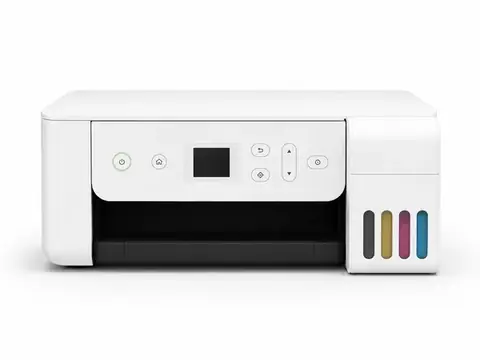
Models included
- ET-2800
- ET-2803
The model number is normally printed on the printer or on its identification label. Do not use this hub for a different EcoTank just because the body looks similar. Features such as an automatic document feeder, Ethernet, or automatic duplex printing can change the correct troubleshooting path.
Family features that matter
- Refillable EcoTank bottles and built-in ink tanks rather than replaceable ink cartridges.
- Flatbed scanner with no automatic document feeder.
- No automatic two-sided printing in the reviewed family profile.
- USB and wireless printing are supported.
Common problems
Error-code coverage
Printer Triage does not currently publish a dedicated ET-2800/ET-2803 error-code landing set. That is intentional: an error is not assigned to this family merely because another EcoTank uses a similar code. If the printer shows a code or message, use the exact text and exact model in the existing error lookup.
Use the homepage lookup and include ET-2800 or ET-2803 so family-specific matches can be distinguished from other Epson models.
Related family
Start guided troubleshooting
The guided engine handles the one-question-at-a-time diagnosis; this page only establishes the family and safe starting points.