Epson ET-2850 / ET-2850U / L4260 Troubleshooting
Printer Triage's existing model profile groups the ET-2850, ET-2850U, and L4260 because they share the troubleshooting features that matter most here: refillable EcoTank ink, a flatbed scanner without an automatic document feeder, automatic two-sided printing, USB, and 2.4 GHz Wi-Fi. The L4260 can look different, so this hub does not pretend one picture identifies every variant.
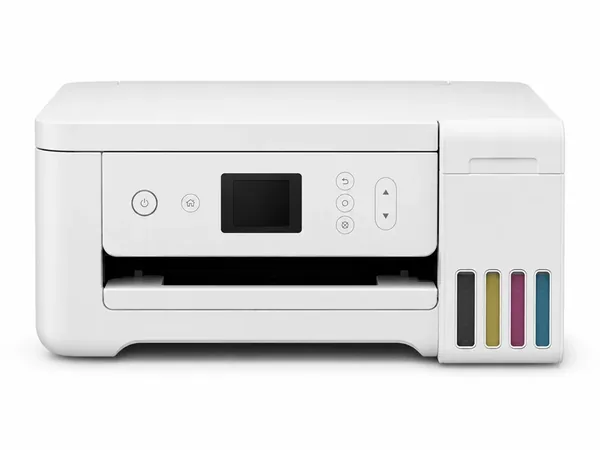
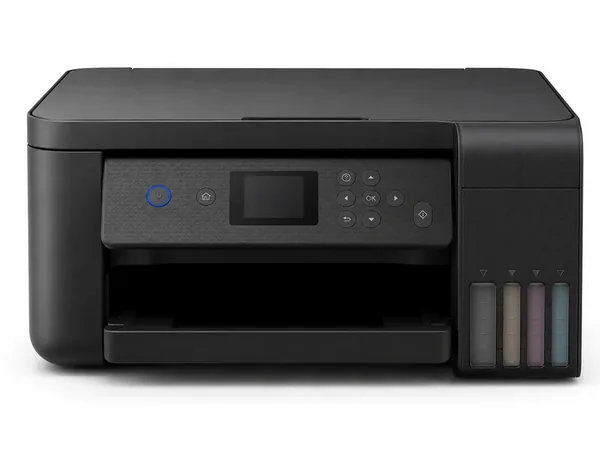
Models included
- ET-2850
- ET-2850U
- L4260
Use the model printed on the printer or its identification label to confirm which name you have. The separate pictures above are there because exterior appearance can vary across the ET and L-branded versions even when the reviewed troubleshooting profile is shared.
Family features that affect troubleshooting
- Refillable EcoTank bottles and built-in ink tanks.
- Flatbed scanner; no automatic document feeder in the reviewed profile.
- Automatic two-sided printing.
- USB and 2.4 GHz Wi-Fi connectivity.
Common problems
Known status and error coverage
Printer Triage already has a family-level ET-2850 / ET-2850U / L4260 status-code reference covering printer, scanner, paper, ink-pad, Wi-Fi, AirPrint, WSD, and recovery states. Use the exact code shown on your printer because similar Epson codes can mean different things on other families.
Related family
Start guided troubleshooting
Use the guided engine for the actual diagnosis. It keeps the one-question-at-a-time flow and only uses model information where it is relevant.